Sweet spots, not ceilings.
On the evening of May 6, 2026, my own Desklight workspace was set to Nano Banana 2, and every photo it made was coming from GPT Image 2. Nothing errored. The settings page said one thing and the renders quietly did another. The cause was a prompt that was too long, and the fix is a small layer that now sits between every brand and every model. This is the story of that layer, dates included.
The renders were slow.
That was the whole clue. Early in May the photos in my own Desklight workspace started taking longer than they should. Slow isn't broken, so it took a diagnostic script to get to the next fact: the model setting was being ignored. The workspace said Nano Banana 2. Every render was coming from GPT Image 2.
Four days earlier I'd published a note on this Journal about the translation compressor, the layer that turns a brand's DNA into a prompt shaped for whichever model is on the other end of the call. Half of it was real: each model got its own structure. The other half, the part that kept a prompt inside each model's size limit, had never landed. The commit that fixed it says so plainly: the structure router half landed, the budget enforcement half never did.
So a 2,000-character prompt, the Desklight brand's full photography essay plus a full-bleed composition hint, went to Gemini's preview models, and they refused it with an error called MALFORMED_FUNCTION_CALL. Both of them, Flash and Pro. That should have been the end of it. Instead the image waterfall I'd built in April, the one that catches a post when the best model stumbles, treated the refusal as a stumble and handed the prompt to the next model in the chain. GPT Image 2 took it and rendered it, slower and at its own price. The settings page never heard.
The first version of this note went up the same night, about an hour after the fix, with a figure in it whose source photo had been made, as it happens, by GPT Image 2.
Long prompts don't fail. They drift.
The refusal was the lucky version. Gemini said no out loud. The usual failure is quieter: the model accepts a prompt it can't hold and follows the parts it happens to attend to. The published context window is the wall. The wall you actually hit is somewhere in the middle of the room, and there's no sound when you hit it.
This is measured, not a hunch. Liu et al., in Lost in the Middle (TACL 2024), found a U-shaped attention curve in long-context language models: instructions at the start and the end of a long prompt get followed, and instructions in the middle get lost, even on models sold on long context. DetailMaster (2025) found the same thing in text-to-image: the longer the prompt, the less of it shows up in the picture.
I'd been watching our own version of this all April without a name for it. The old prompt builder stacked instruction blocks until it passed 3,700 characters. It opened with a wall of twelve nouns the image must not contain, and the model, reading the nouns, painted them: tell Gemini no logos and you get logos. It pasted hex codes where the model wanted colour words. It asked for editorial and iPhone-grade in the same breath and got the average. None of that throws. The render comes back. It just isn't the brand.
So the right operation isn't cutting a prompt to fit. It's deciding, before anything goes over the wire, what the model must see, what it should see, and what it can live without.
Sweet spots, by model.
Every model Desklight calls has a number nobody puts on the pricing page: the size of prompt it actually follows. The ranges below are the ones we work to today. They started as the providers' own guidance and were adjusted where our renders disagreed, which they did more than once.
| Model | Sweet spot | What blows past it |
|---|---|---|
| Nano Banana Pro · Nano Banana 2Google · Gemini 3 image family | 200–400 tokens of dense, non-redundant prompt. Past about 500, diminishing returns; past about 800, the thinking step starts contradicting itself. Our budgets: 1,100 characters for Pro, 900 for Nano Banana 2, where quality measurably fell off above that. | Stacked instruction blocks. Lists of what must not appear (the model paints the nouns). Hex codes where a colour word would do. |
| GPT Image 2OpenAI | 1,000–1,400 characters, scene first, seven elements in order. Hard cap around 2,000 characters. Our budget: 1,400. | Saying one constraint three ways. Style adjectives that cancel each other: editorial and iPhone-grade. |
| Seedance 2.0ByteDance | 60–100 words for text-to-video, 30–50 from a photo, as labelled fields: subject, action, camera, setting, style, lighting, audio. | The word fast. Two camera moves on one shot (the clip shakes). Close-ups on faces and hands. |
| Veo 3.1 · Veo 3.1 FastGoogle | 50–120 words for a single shot, comma-separated fragments rather than full prose. More than one shot reads as a sequence: first this, then that, finally the other. | Negation (say what is there, not what isn't). Music over dialogue. One shot carrying three shots' worth of direction. |
| Kling 3.0 Omni · Kling 2.5 Turbo ProKuaishou | 40–80 words for text-to-video (40–60 on 2.5 Turbo Pro). Up to 40 from a photo, motion and camera only; the photo already carries the scene. | Re-describing the source photo. Motion with no ending (give it a line to settle back into place). More than one camera move on Turbo. More than five nouns. |
| Wan 2.7 · Wan 2.6Alibaba | 80–120 words of descriptive sentences, not labelled fields: subject, scene, motion, lighting, camera, stylisation, in that order. | Vague energy words (dynamic, energetic). Skipping the camera verb. From a photo, animating anything the photo doesn't show. |
Two things repeat. The windows are small. Every video model tops out around 120 words, and a prompt that starts from a photo gets roughly half the words of one that starts from text, because the photo is already doing the describing. Nothing past the window throws. Past it you get drift, or a contradiction, or, on one night in May, a refusal that got caught and hidden. The damage lives in the part of the request you can't see.
One photo. Two sides of the layer.
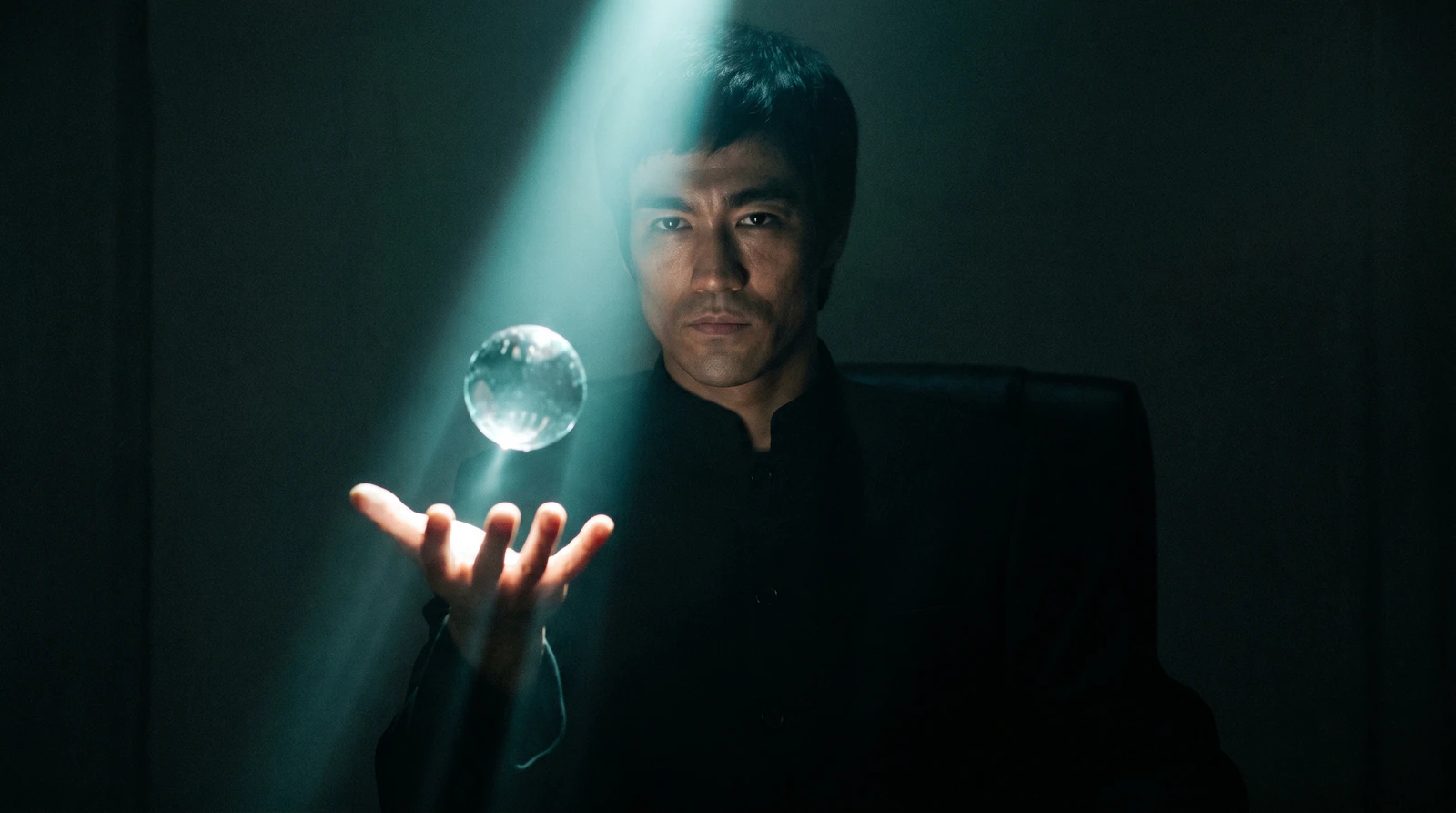
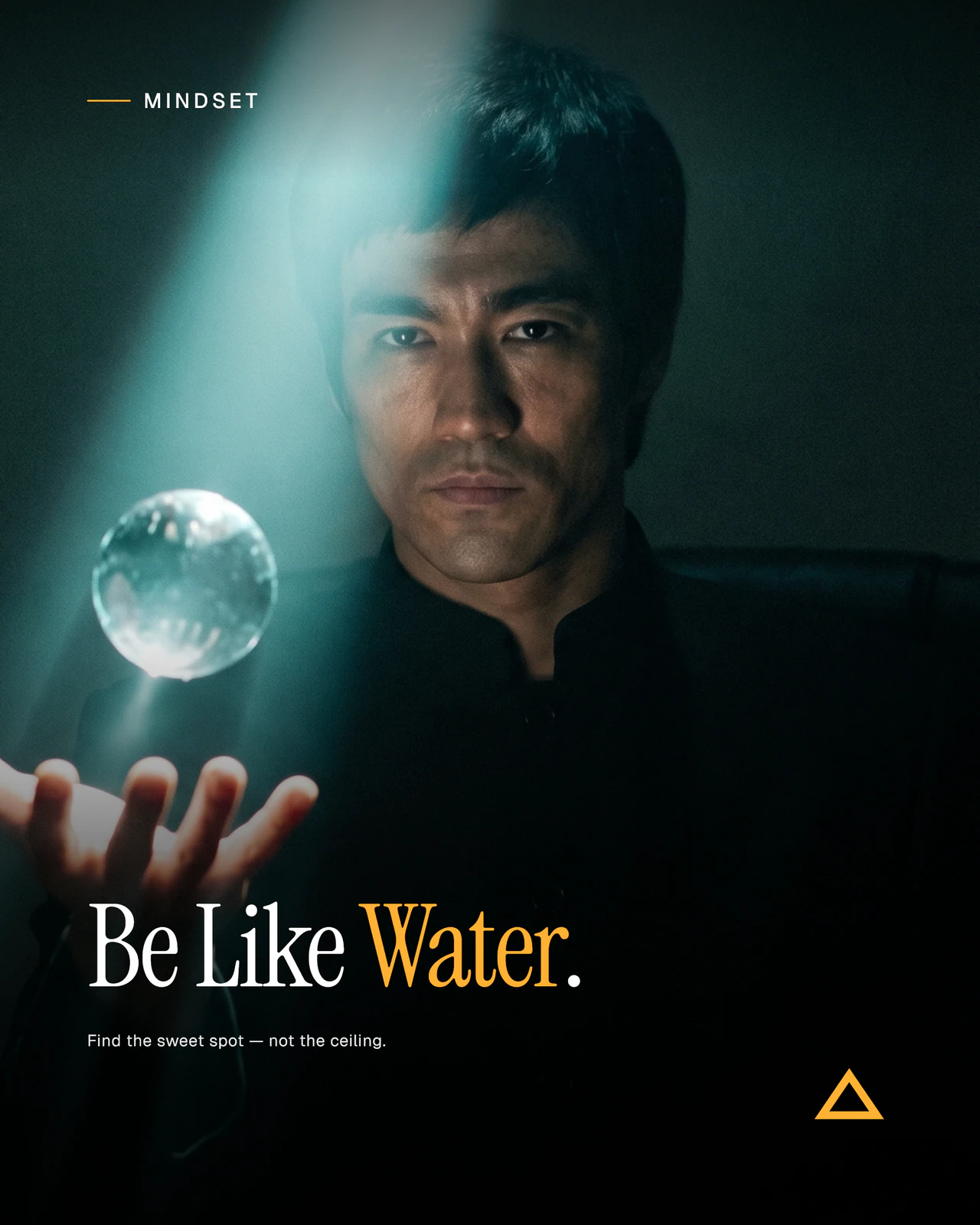
Here's what that looks like from either side. The wide frame below is what the photo model returned once its prompt fit its window: a man, a glass orb, one beam of light, no words anywhere. Layered on top is the finished 4:5 post, the same frame with the brand's headline, kicker, accent and wordmark set afterwards by the composition side of the pipeline. The prompt never asked for text. It asked for a photograph that would leave room for some.
The strainer.
In the code it's called the strainer, which is what it is. The May 7 rewrite of this note called it a prompt adapter, which sounded more like a product. Strainer stuck.
Every Desklight render starts the same way. Allie writes the post: headline, kicker, copy, and a brief for the photo. The brand profile adds what it knows: palette, photography style, mood words, the things it never does. The layout planner picks a composition and says where the photo sits and where the words go. All of that lands in one render spec, and the spec is long on purpose, because brands are long.
Between the spec and the model sits the strainer. It knows which model is about to run, looks up that model's budget, and assembles the prompt from sections that each carry a priority. The priorities are plain words:
It writes down what it did, every time it does anything. Replayed against the prompt that had failed, the line from the night of May 6 reads: [image-prompts:gemini-3] strained 804/1300 chars — dropped=[no_text_lead] trimmed=[composition_hint,style]. A brand with concise photography notes went through the same gate untouched at 694 characters, which mattered to me: a brand that writes tightly shouldn't be penalised for it. The Gemini budget came down from 1,300 to 1,100 later the same night, once I'd re-read my own notes on the model.
When a render comes back wrong, that line is where I start. I can read backwards from it to the prompt, and from the prompt to the brand profile. Drift leaves no such line. That's the whole case for the layer: not that it makes prompts shorter, but that whatever it does is written down.
What it learned not to cut.
A strainer is a list of what to sacrifice, and I got the list wrong in instructive ways. Every correction has a date.
May 8. Style was being trimmed at a sentence boundary when a brand ran long, and the palette was the last sentence inside style, so it was the first thing to go. The brands with the richest photography notes lost their colour anchor and came back as generic editorial photos: handsome, and not theirs. The palette became its own required section. It's about eighty characters. It never leaves.
May 27. The waterfall did it again. Nano Banana 2 stopped accepting one of the settings we sent it, the waterfall caught the rejection, and every Nano Banana 2 call quietly re-ran on Nano Banana Pro at Pro's price. Same shape as May 6, different door. Now that setting is simply left off and Google applies its own default.
July 1. The reference-image instructions, about 3,300 characters of them, were being prepended to the photo prompt outside the budget. A scene the strainer had carefully held to 900 characters was going out at 4,900, five times Nano Banana 2's window, and the model was mangling the very references the slab was there to protect: a laptop screen came back garbled, a face came back as someone else. The slab became a terse 600-character instruction. The whole prompt went from 4,494 characters to 1,316, and the references rendered cleanly.
July 26. We raised Nano Banana Pro's budget from 1,100 to 1,300 and reverted it the same day. The measurement that justified the raise included about 220 characters that had just been added in the same session, so the number was funding its own additions. The comment in the code now ends: raise this only with a real A/B behind it.
July 27. The big one. The brief, the sentence Allie writes describing the photo, had a trim limit. An athletic-brand brief ending in “ideal for duotone treatment” got cut mid-clause and every word of action in it was lost, which is worse than losing the sentence: the model received a statement its author never made. The brief now has no trim limit at all; if the required sections overflow, the whole brief ships with a warning. The same day, the brand's photography style went from preferred to required, because across ten paid renders on three brands and three models the strainer had dropped it on every scene with a person in it, and the photos came back competent, generic and archival. The commit message puts it in five words: brand voice is not garnish.
September 29. The strainer stopped writing the setting and lighting lines itself. Allie's brief already says where the light comes from; a second line written by code could only agree with her or contradict her, and in one production post it contradicted her. One authority per fact.
Video got the same, then something better.
Fourteen minutes after the image fix landed on May 6, video got its own version. Each of the five video models we ran then got a character budget that grew with the clip: a base cost plus so many characters per second, capped at the model's window, because a four-second clip wants one beat and a ten-second clip can hold a setup, a turn and a resolution.
Thirteen edge cases, from a bloated brand on a long clip to a missing brand and a thirty-second clamp, all produced valid prompts under budget. That version lasted three weeks. On May 28 the video engine was rebuilt as one path: Allie's brief becomes a structured intent, the intent becomes a small intermediate form, and a backend per model family turns that form into the shape the model wants. Seedance gets labelled fields. Wan gets flowing sentences and a negative prompt. Veo gets fragments, and a sequence when there's more than one shot. Kling gets a hard word cap, 80 for text-to-video and 40 from a photo, trimmed in priority order like the image strainer. The budgets stopped being a formula and became each backend's own idea of enough.
The one rule that survived every rewrite: a prompt that starts from a photo describes the motion and nothing else. The photo already carries the scene, so on every model the photo-to-video window is roughly half the text-to-video one.
Models are commodities; the system is the moat. The strainer is the smallest piece of that system and the one closest to the model. Most days you'd never know it ran.
It sits beside the translation compressor on the brand side and the validators that keep Allie honest on the agent side. Together they're what lets one calendar entry become a render that looks like the brand wrote it, on whichever model the workspace has picked, at that model's price. Some days, like the one in May when my settings said one thing and my renders said another, it's the difference between a product that's working and one that only looks like it is.
Questions.
What is a prompt sweet spot?
Every image and video model has a hard limit, the size of request its API rejects, and a much smaller window inside it where the output is actually good. Below the window, details go missing. Above it, the model accepts the prompt and quietly follows less of it. The limit is the wall. The window is the target, and it's the number Desklight budgets against: about 1,100 characters for Nano Banana Pro, 900 for Nano Banana 2, 1,400 for GPT Image 2, and 40 to 120 words for the video models, depending on the model and whether the clip starts from a photo.
Why does the same brand need a different prompt for each model?
Because each model wants a different shape as well as a different size. Gemini's image models read six labelled elements and prefer colour words to hex codes. GPT Image 2 wants the scene first. Seedance wants labelled fields, Wan wants flowing sentences, Veo wants fragments, and Kling wants under 80 words, or under 40 when the clip starts from a photo. The brand inputs never change. The strainer and the per-model backends change the shape before the call ships.
What happens when a prompt overflows the sweet spot?
Usually it drifts rather than fails. Liu et al. (Lost in the Middle, TACL 2024) measured a U-shaped attention curve: instructions at the start and end of a long context get followed, and instructions in the middle get lost. DetailMaster (2025) found the same in text-to-image: adherence falls as prompts grow. The model still accepts the prompt; it just follows less of it, and nothing logs what it ignored. Occasionally a model refuses outright, as Gemini's preview models did on May 6, 2026, and then the risk is a fallback quietly finishing the job on a different model.
Does a video prompt that starts from a photo need to describe the photo?
No, and it shouldn't. The photo already carries the subject and the scene, so the prompt spends its words on motion and camera. Seedance takes 30 to 50 words from a photo against 60 to 100 from text; Kling takes up to 40 against up to 80. Re-describing the photo is one of the quickest ways to get a worse clip.
Why not just use the largest possible context every time?
Because the usable window is much smaller than the published one, and a long prompt gives the model more material to contradict itself with: competing camera moves, mismatched lighting, two style cues that cancel. Tighter prompts sized to the window produce more consistent renders, and consistency is the whole job when the subject is a brand. The strainer optimises for how much of the prompt the model follows, not for how much the API will accept.
Your chosen model leads.
Supported fallback generation names the model that made the image. Desklight is live by invitation. Already invited? Set up your brand and start with 500 credits. Set up your brand, then review your first draft with Allie.